
Results > Payment Status
The Payments Status area enables administrators to view the status of payment finalize requests.
Screen
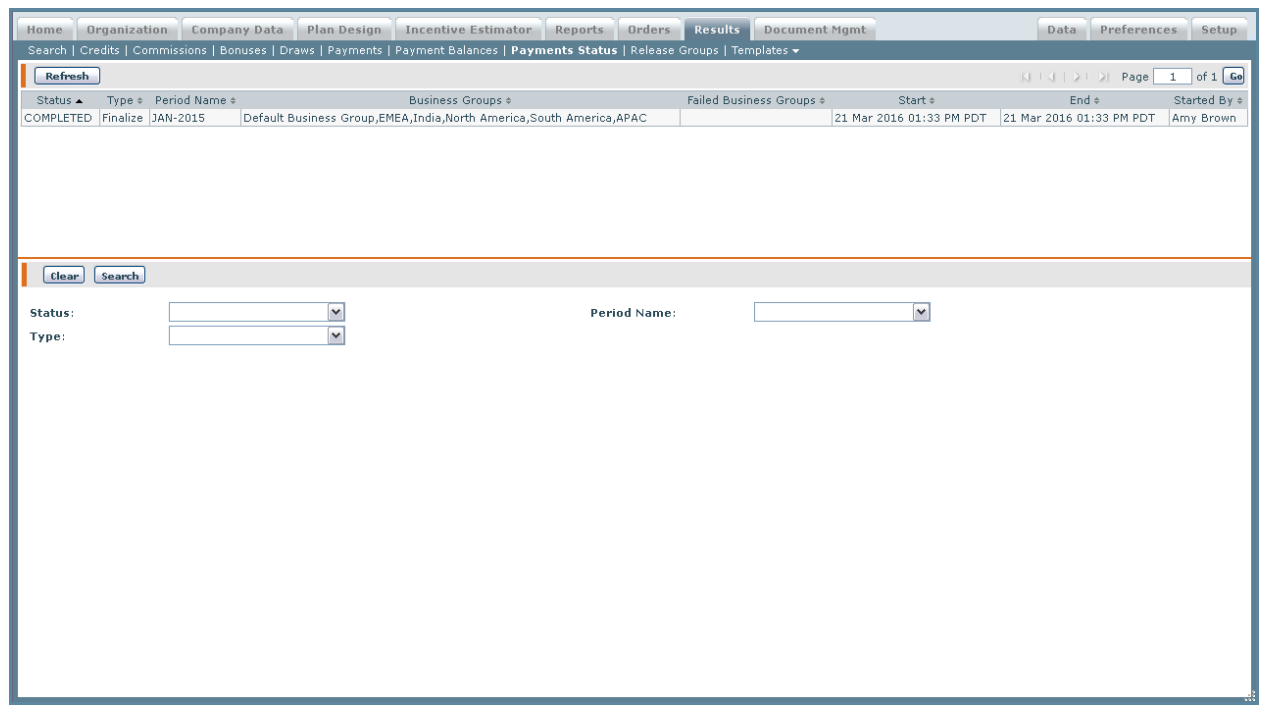 Payment Status Screen
All Fields
The following table describes the information you can specify when managing payment status:
| Field | Description |
|---|---|
| Status | The status of the payment status, from among the following: • COMPLETED • IN PROGRESS |
| Type | The type of the payment status, from among the following: • Finalize • Preview |
| Period Name | The period for the payment status. |
How to…
This section describes how to manage the payments status.
Display the Payments Status
1. Click the Results tab, then click Payments Status in the secondary menu. The Payments Status screen appears.
2. Click the Refresh button. The updated status appears in the Results area.
3. The fields at the bottom of the screen display the following about the highlighted item:
• Status—Shows the payment status as COMPLETED or IN PROGRESS.
• Type—Shows the type of payment processing: Preview or Finalize.
• Period Name—Shows the payment period.