
How Business Group Security is Set Up
Business administrators assign access to business groups at the user level by selecting
the specific groups from the Accessible Business Groups tab in the Setup > Users area.
Note that this tab is only available when a user is assigned a role type of either Business
Group Administrator or Business Group Executive.
note: The type of user, in turn, is derived from the type of role assigned to the user.
It is not possible to assign business groups to any other type of user. The following table
shows a sample configuration for an organization, including a single Business Group
Administrator and two Business Group Executives:
| Person | Role | Role Type | Business Group | |
|---|---|---|---|---|
| Connie Compensation Admin |  | Administrator | Business Administrator | |
| Oscar CEO |  | Executive | Executive | |
| Arnold Account Manager UK |  | Sales Representative | Individual Payee | |
| Meredith Compensation Admin, AMER | | Regional Admin | Business Group Administrator | AMER |
| Thomas Controller, EMEA | | Regional Executive | Business Group Executive | EMEA |
| Emily Sales Engineer, EMEA |  | Compliance | Business Group Executive | EMEA |
Business Group Administrator Role Type
The sample organization includes Meredith, a compensation administrator for the
business group AMER. In this example, Meredith is assigned the role of Business
Group Administrator but does not have a position in the organization’s hierarchy.

Note that since Meredith is assigned to the AMER business group, she can only see
data if:
• She has access to the corresponding tab within Incent
• The data is assigned to the AMER business group
Business Group Executive Role Type
The sample organization also includes Thomas, a controller assigned to the business
group EMEA. In the example, Thomas is assigned the role of Business Group
Executive but, like Meredith, does not have a position in the organization’s hierarchy
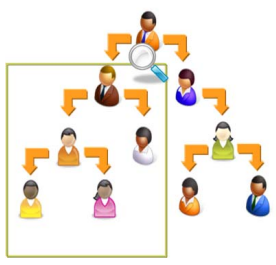
Since Thomas is assigned to the EMEA business group, he can only see data if:
• He has access to the corresponding tab within Incent
• The data is assigned to the EMEA business group