
Person (Latest Version)
You can use columns in the Person (Latest Version) dimension to add latest version information about People to orders, credits, commissions, bonuses, quotas, draws, and payments data. Columns such as salary or custom fields are only available for administrative reporting (for security reasons).
note: Person (Latest Version) aggregates Facts across all time.
Also, certain fields (such as Title), cannot be effective dated, and therefore always display the last value entered in the system. Further, Person (Latest Version) does not reference the latest version of a person’s Position Name.
Screen
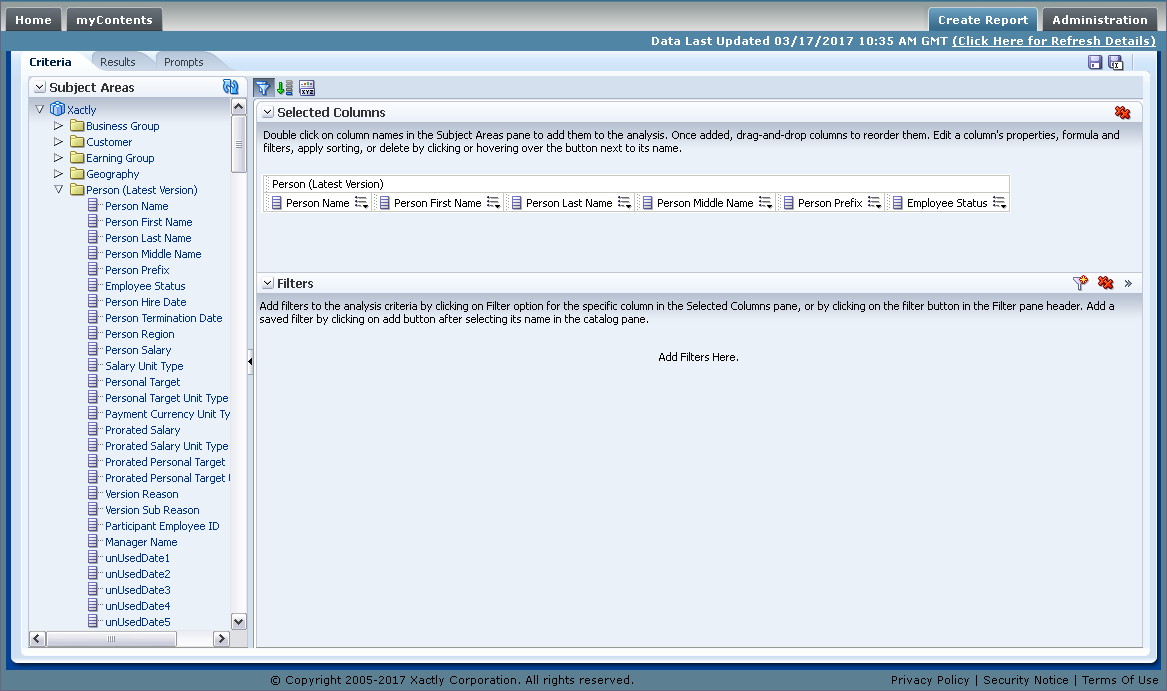
Person (Latest Version) Columns
Columns
The following table describes the columns in the Person (Latest Version) dimension.
note: Columns highlighted in bold are visible only to business administrators (users
with the Analytics Administration tab privilege).
| Column | Description |
|---|---|
| Person Name | The full name of the person, as First_Name Last_Name (Employee ID). |
| Person First Name | The first name of the person. |
| Person Last Name | The last name of the person. |
| Person Middle Name | The middle name of the person. |
| Person Prefix | The prefix of the person, such as Mr., Ms., Dr., etc. |
| Employee Status | The employee status identifier. |
| Person Hire Date | The date the person was hired. |
| Person Termination Date | The date the person was terminated. |
| Person Region | The geographical region of the person. |
| Person Salary | The salary of the person. |
| Salary Unit Type | The unit type of the salary. |
| Personal Target | The personal target of the person. |
| Personal Target Unit Type | The unit type of the personal target. |
| Payment Currency Unit Type | The unit type of the payment currency. |
| Prorated Salary | The prorated salary of the person. |
| Prorated Salary Unit Type | The unit type of the prorated salary. |
| Prorated Personal Target | The prorated personal target of the person. |
| Prorated Personal Target Unit Type | The unit type of the prorated personal target. |
| Version Reason | The reason for the new version. |
| Version Sub Reason | The sub-reason for the new version. |
| Participant Employee ID | The employee identifier of the person. |
| Manager Name | The name of the person’s manager. |
| Custom Fields | The custom fields defined for the Person. |
note: Xactly maintains deleted custom field names to ensure the integrity of legacy data. The result of this is that deleted custom field names can, in certain circumstances, be appended to newly-created field names (separated by a semicolon).
In cases when you see appended custom field names, you need to filter corresponding reports to ensure that the data from the two custom field labels are not mixed.