
Xactly eDocs & Approvals 2018-04 New Features
This article describes the new features available in Xactly eDocs & Approvals 2018-04, which include:
- New Track Page (Early Access!)
- Ability to Assign Workflow Owner
- Flexible Due Dates and Reminders
- Reason Codes for Declined/Recalled Documents
- Ability to CC Manager for Review
- Notification Groups
- Customized Messages by Signature Type and Language
- Workflow Escalation
New Track Page (Early Access!)
Xactly eDocs & Approvals 2018-04 provides administrators with early access to a new Track Documents page, which offers a cleaner, more intuitive version of the existing Process Status page.
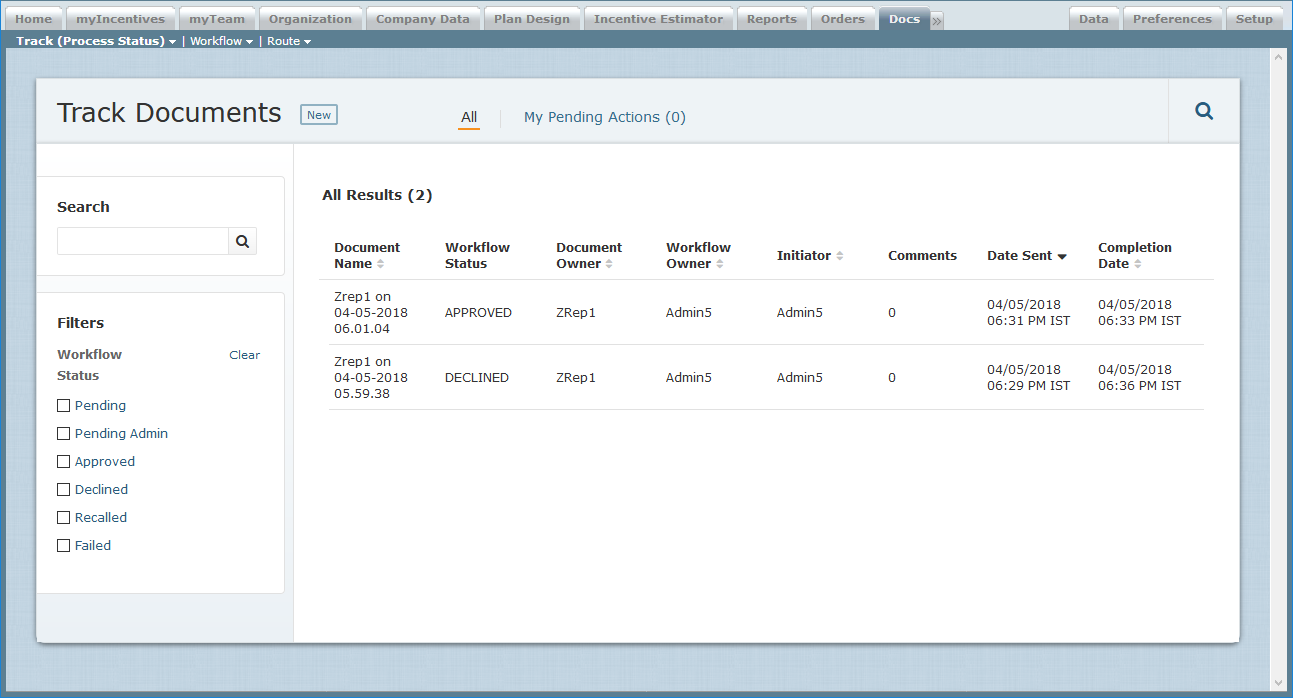 Track Documents Screen
Administrators can use the new Track Documents area to view and manage routed documents, displaying details about all documents or only those documents for which an admin has an associated action item.
The new area also offers an advanced search capability, making it easy to find documents based on person, position, and document attributes, and then save those searches for later use.
Ability to Assign Workflow Owner
Xactly eDocs & Approvals 2018-04 introduces the ability to specify someone other than the initiator as the owner of a group of documents when routing plan documents in the Docs > Route > Route Documents by Person (Beta) area of the application.
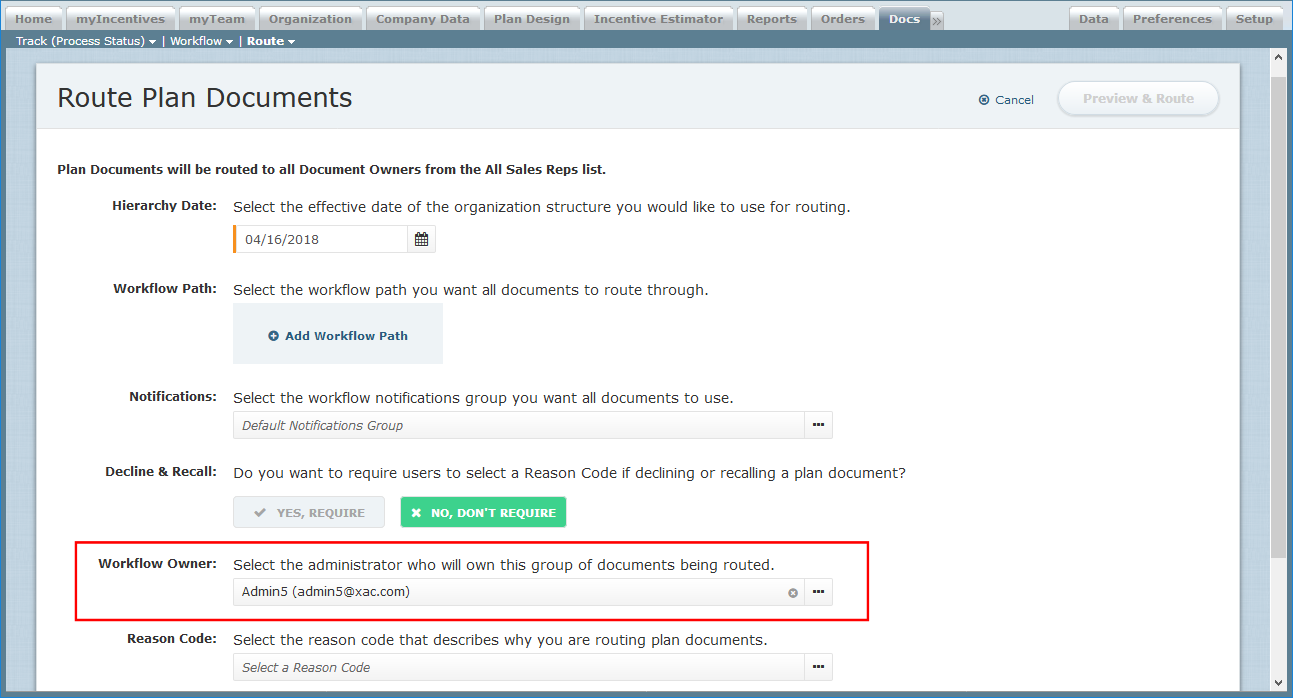 Route Plan Documents Screen – Workflow Owner
The workflow owner is generally responsible for seeing a group of documents through to completion, and receives any notifications that were traditionally sent to the initiator.
Flexible Due Dates and Reminders
Xactly eDocs & Approvals 2018-04 adds the ability to specify due dates relative to the date of receipt in a workflow when routing plan documents.
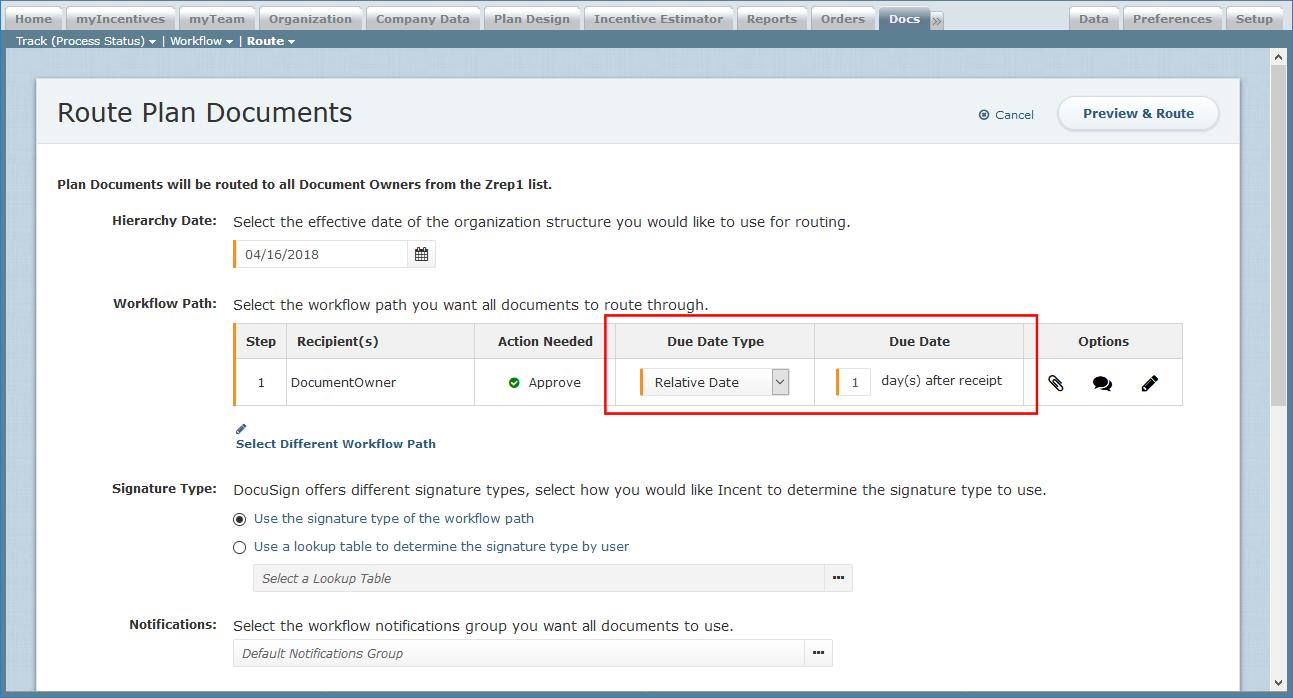 Route Plan Documents Screen – Flexible Due Dates
Earlier editions of Xactly eDocs & Approvals allowed administrators to choose a specific date for each step. With the new release, administrators can now also choose to specify a relative date, such as “3 days after receipt”.
Reason Codes for Declined/Recalled Documents
Xactly eDocs & Approvals 2018-04 adds the ability for administrators to specify whether a reason code is required when a user recalls or declines a document — in the Docs > Route > Route Documents by Person (Beta) area of the application.
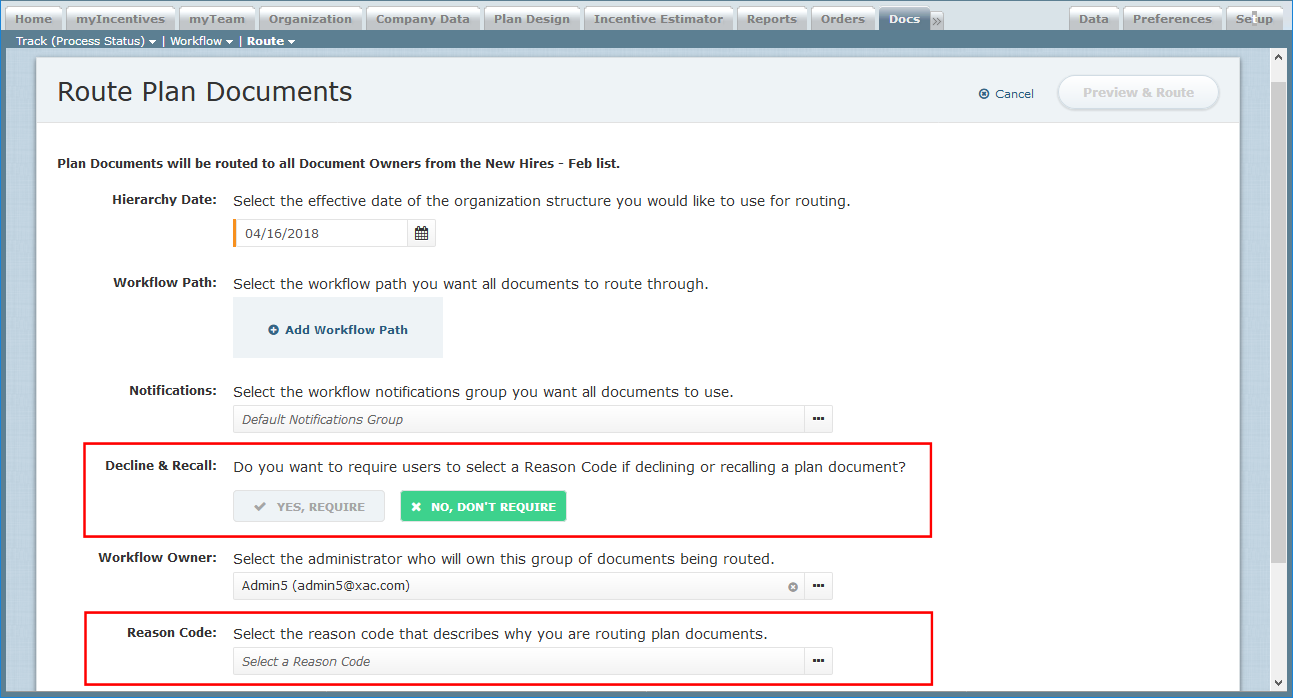 Route Plan Documents – Decline and Recall Reason Code
Administrators can then leverage the recall or decline reason code in saved searches on the Track Documents page, enabling admins to quickly filter documents with specific reason codes. Administrators can also select the reason code that describes why they are routing the plan documents.
As part of this new capability, the release also updates the Setup > Configure > Reason Code area to allow administrators to define reason codes specifically for use with workflows.
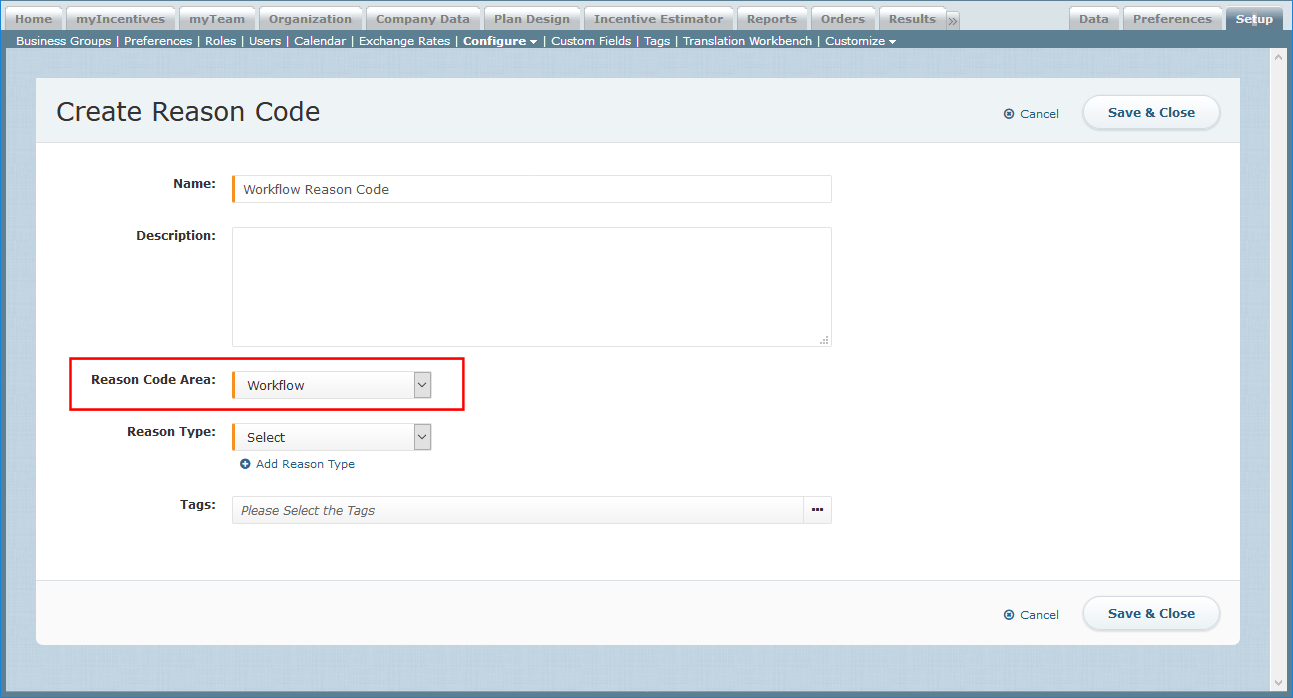 Setup > Configure > Reason Code Screen
Ability to CC Manager for Review
Xactly eDocs & Approvals 2018-04 introduces the ability for administrators to specify that managers of all payees receive an email at the beginning and end of the workflow (when routing documents using a routing group).
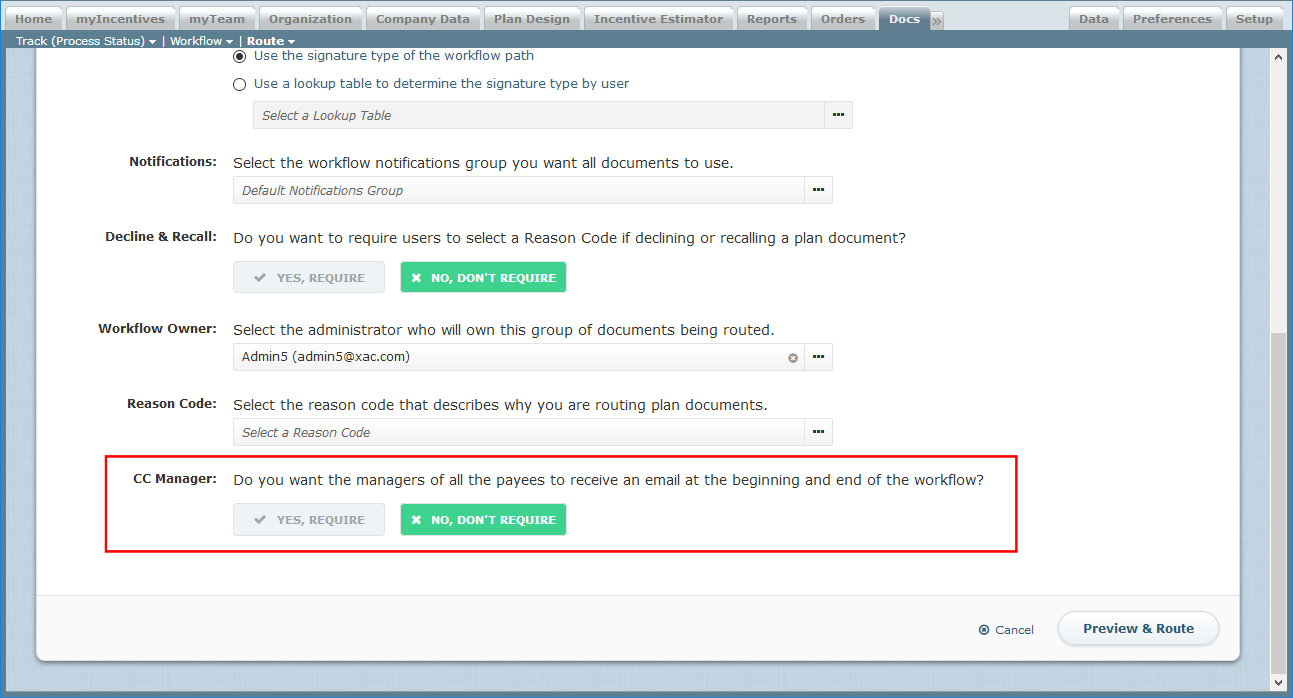 Route Plan Documents – CC Manager
When set, each document owner’s manager is “carbon copied” at the beginning or end of the workflow, even if the manager is not part of the defined workflow. This allows managers to be aware throughout the process, but not hold up the workflow.
Notification Groups
Xactly eDocs & Approvals 2018-04 introduces notification groups, a new way to customize and schedule email notifications that are sent during the document life cycle (accessible in the Docs > Workflow > Notifications area).
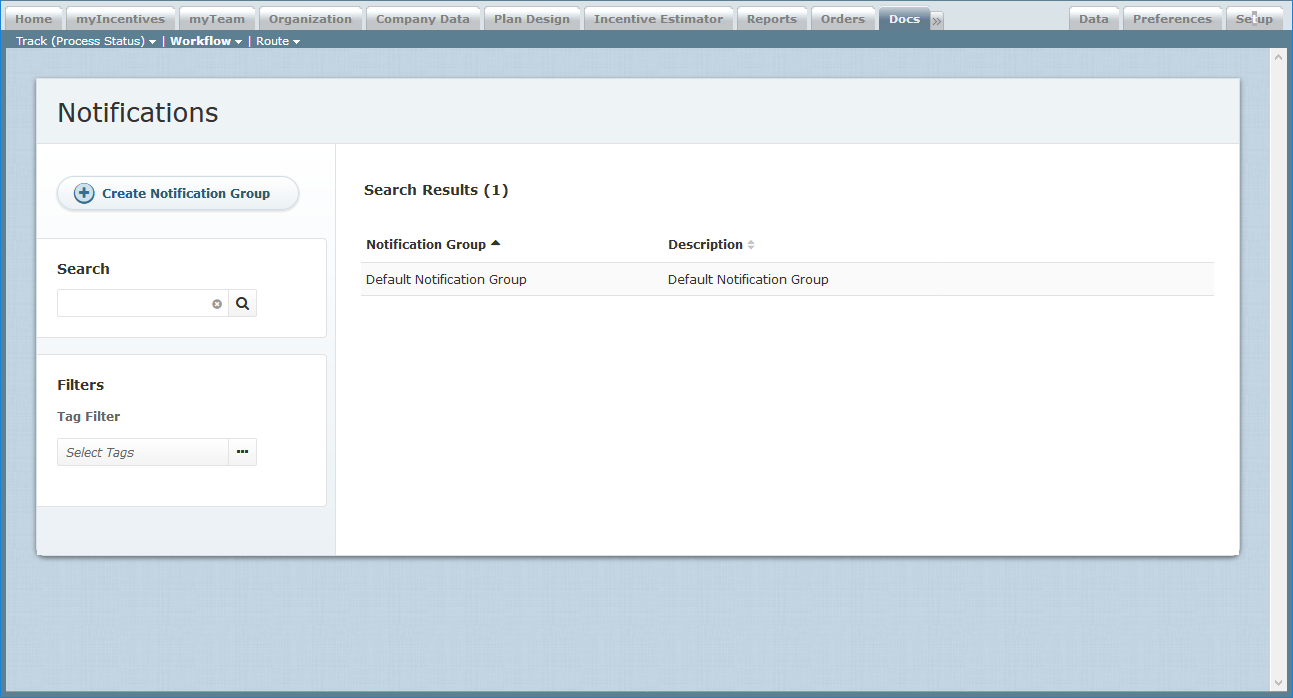 Notifications Screen
Using notification groups, administrators can define and modify email notifications that are sent out related to the plan document approval process. This allows admins to better ensure that plan documents are completed in a timely manner.
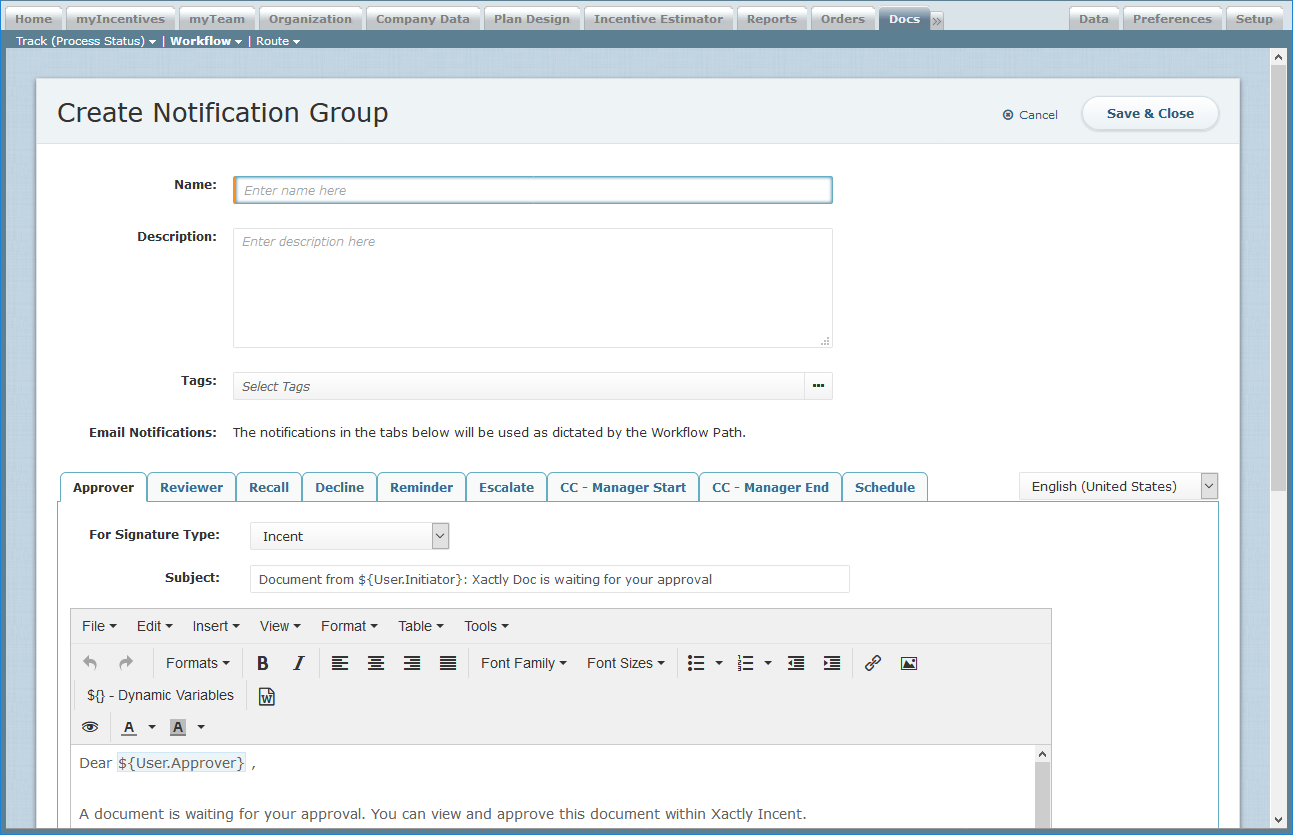 Create Notification Group Screen
Once configured, administrators can associate a notification group with a routing group to specify the email templates to use with each group of routed documents.
Customized Messages by Signature Type and Language
Xactly eDocs & Approvals 2018-04 offers administrators the option of customizing email templates for each signature type and language enabled in the business. When administrators assign a notification group to a routing group, the system then intelligently determines the correct email template to use for each person in the group.
This feature reduces the number of unique notification groups administrators need to create for a business.
Workflow Escalation
Xactly eDocs & Approvals 2018-04 improves the ability for administrators to help usher documents to completion by introducing the concept of escalation notifications, which are sent to an approver’s manager when a document remains in pending status past its due date.
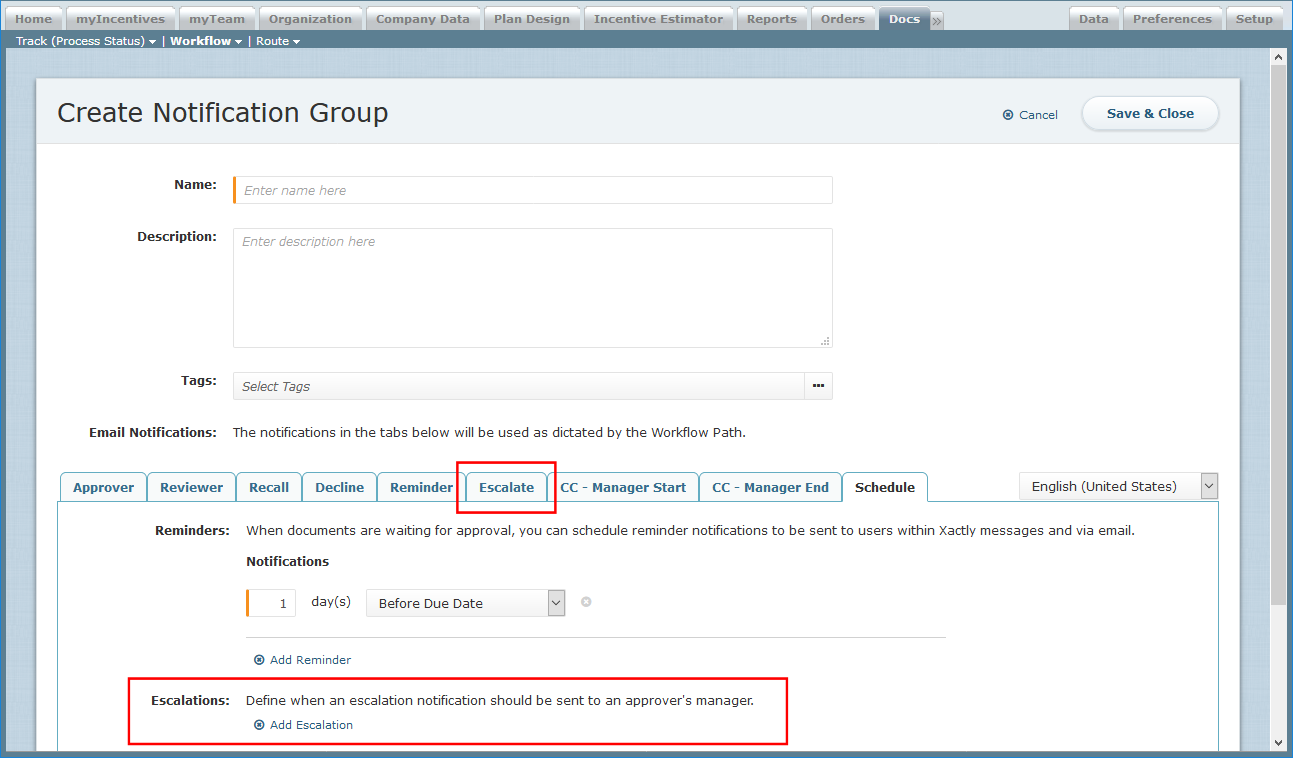 Create Notification Group – Schedule Escalations
Within notification groups, administrators now have the option to customize the email template (using the Escalate tab) and schedule when escalations are sent (using the Schedule tab).