
Xactly Incent 2018-05 New Features
This article describes the new features available in Xactly Incent 2018-05, which include:
- Consolidated Audit Report
- Person Region Dimension Available in Lookup Tables
- Increased Limit for Drop Down List Custom Fields
Consolidated Audit Report
As you work with Incent, the application records changes to various objects in the system. Xactly Incent 2018-05 offers a new way for administrators to download audit data for these objects, making it easier to track changes within the application.
The new feature is accessible in the Data > Audit area, as shown below:
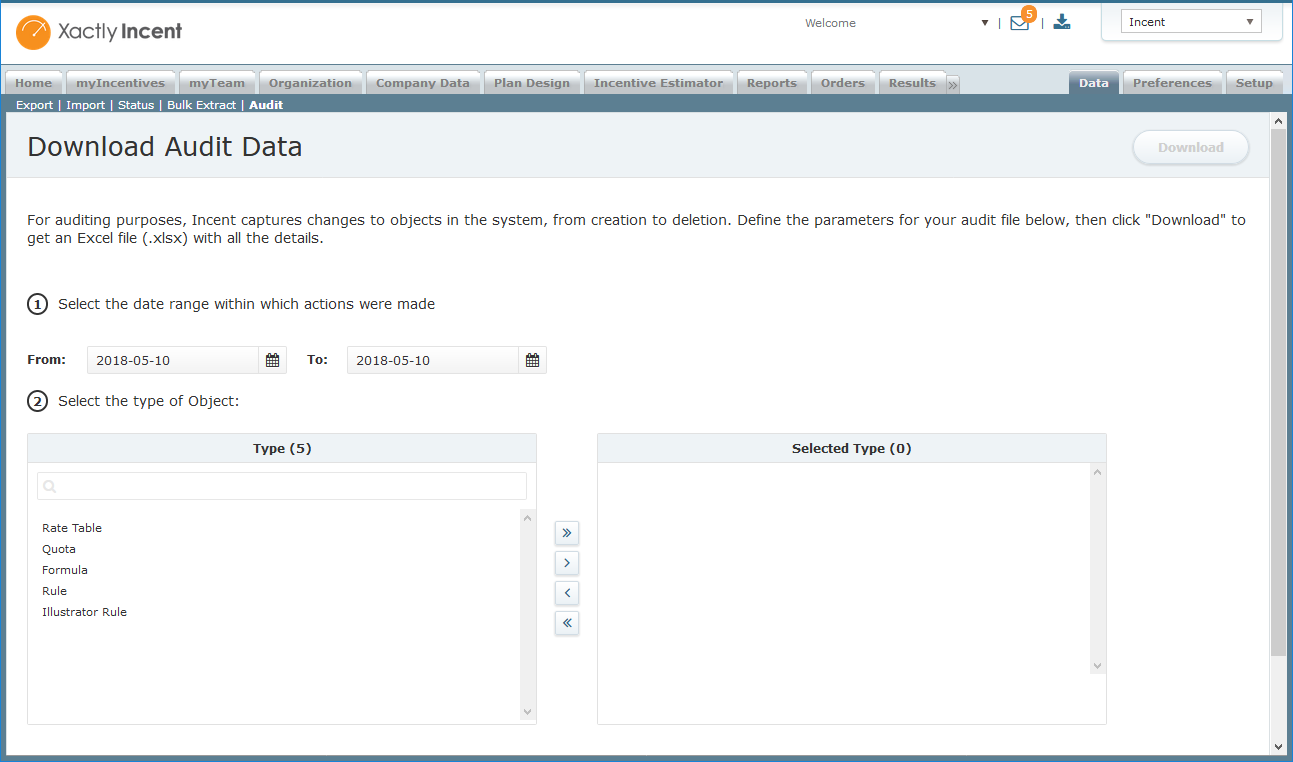 Consolidated Audit Screen
Downloading audit data is as easy as selecting the appropriate date range along with the corresponding objects (Rate Table, Quota, Formula, Rule, or Illustrator Rule). The Microsoft Excel-compatible files appear in the Downloads area of the application.
Person Region Dimension Available in Lookup Tables
Xactly Incent 2018-05 enhances lookup tables (defined in the Plan Design > Lookup Tables area) to include person region as an available dimension. This provides administrators greater flexibility when building and applying lookup tables throughout the application.
Increased Limit for Drop Down List Custom Fields
Xactly Incent 2018-05 enhances custom fields (in the Setup > Custom Fields area) by allowing administrators to specify up to 300 list values when defining Drop Down List data types (the existing limit was 15 values).
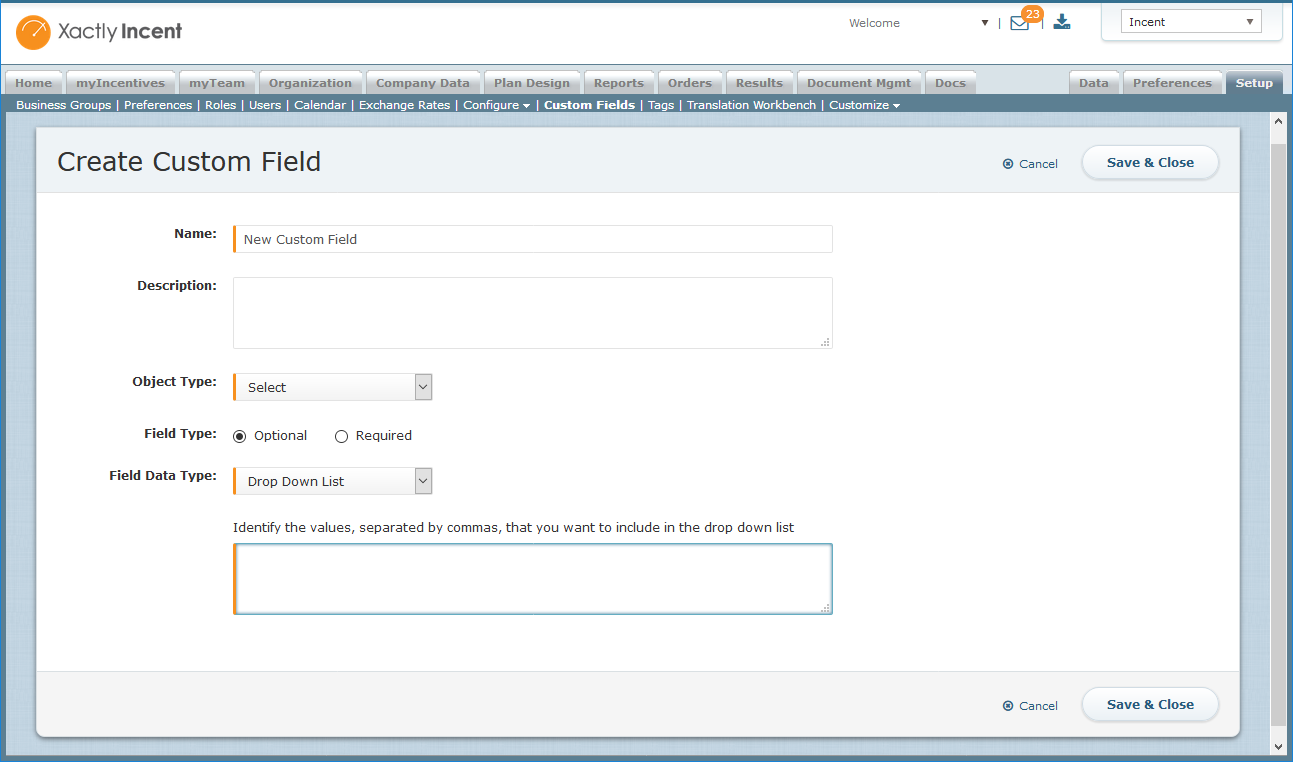 Create Custom Field Screen
This allows admins to define a more granular classification of records, if needed.